 1999 - 2026
☰
1999 - 2026
☰
BasketScouting bridges the gap between complex game-log statistics and instant video film verification. Transform single games or entire multi-game series into automated, high-contrast tactical reports coaches completely trust.
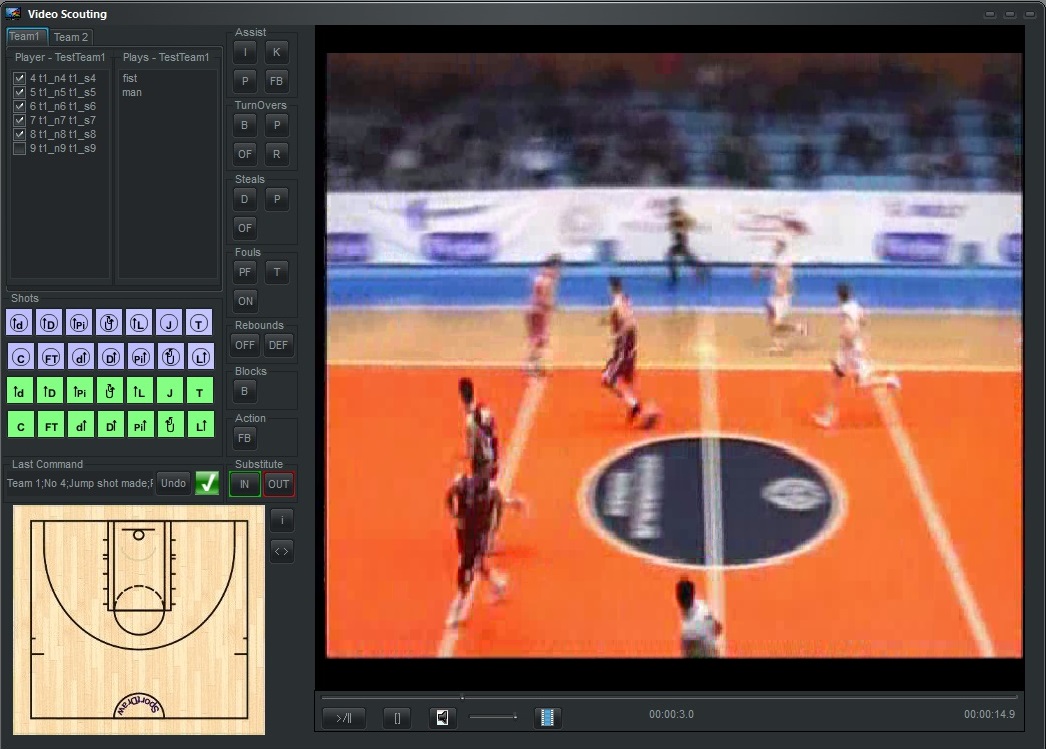
Stop wasting hours scrubbing through video timelines looking for tactical clips. Our native Video Room links your database events directly to game film player panels.
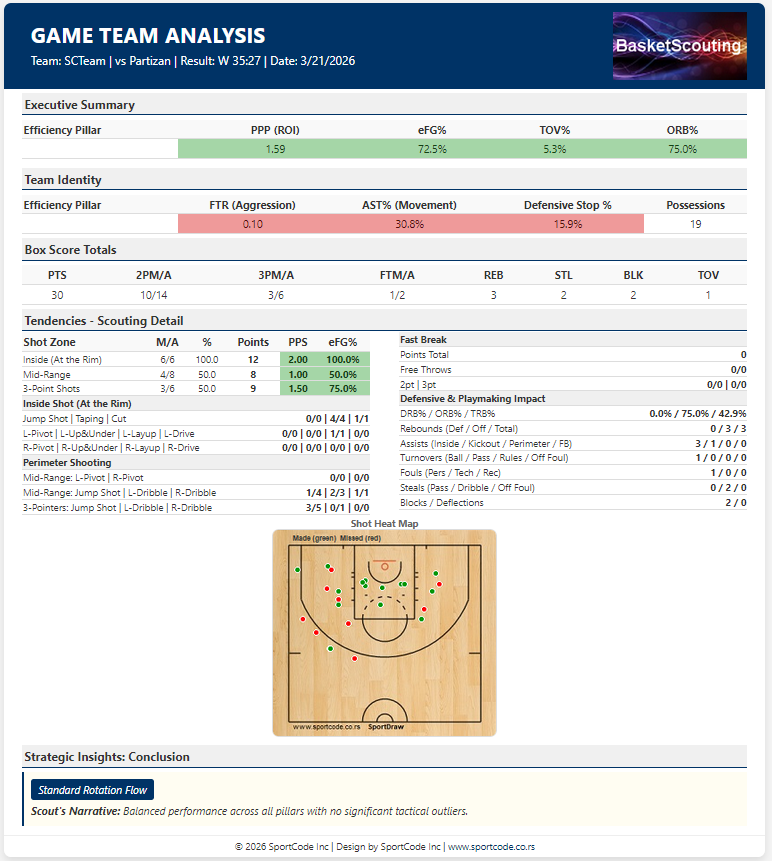
Evaluate tactical execution and individual player roles with absolute geometric precision immediately after the final buzzer.
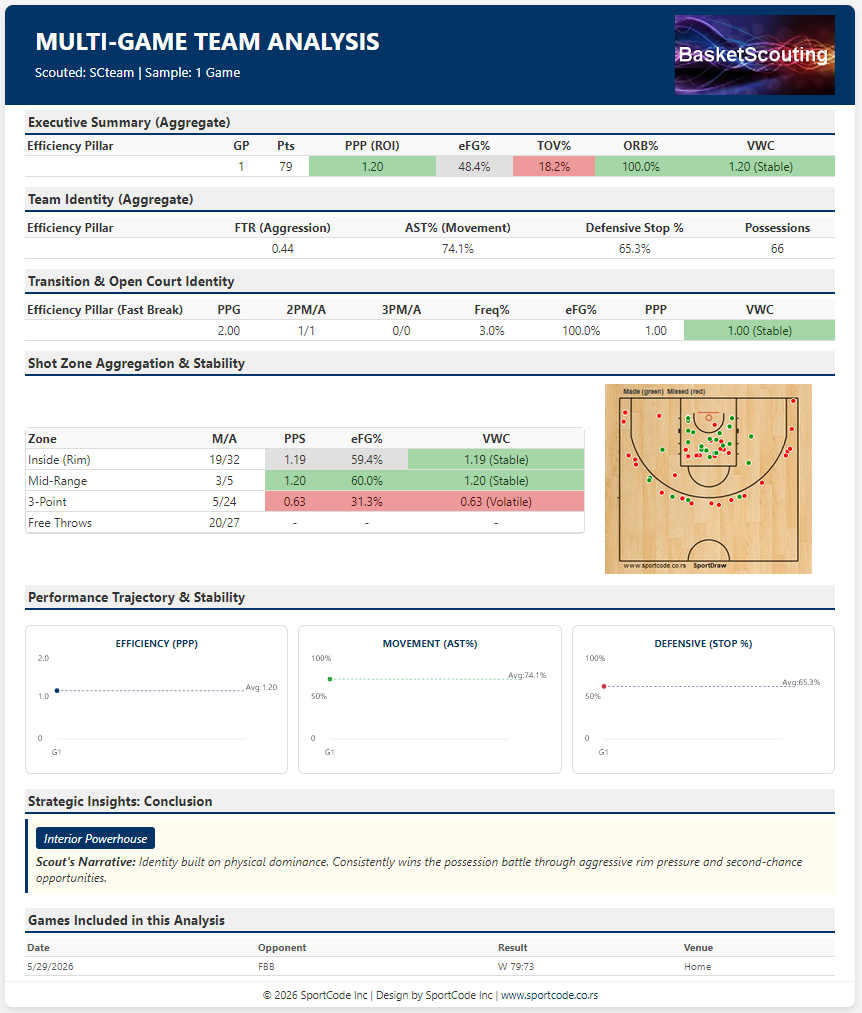
Aggregate multiple game files into a unified season briefing without experiencing "average of averages" mathematical errors.
Generate high-contrast clean A4 PDF and HTML documents optimized for coaching meetings and share data across your entire staff instantly.
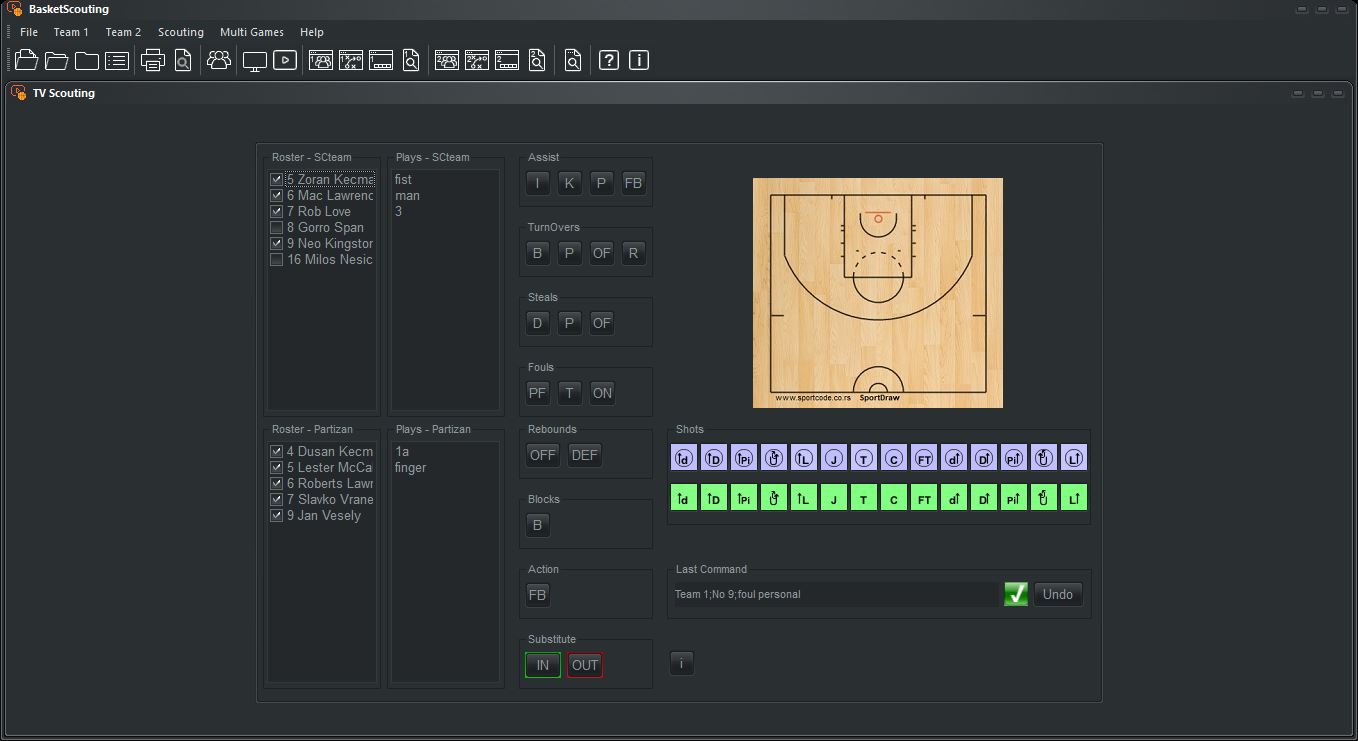
Tag players, sets, shot locations, and custom tracking variables (Fouls, Fast Breaks, Havoc plays) live or offline in our database grid.
Open the Video Room dropdown. Sort instantly by performance metrics, click any database event row, and watch the video jump to the exact second.
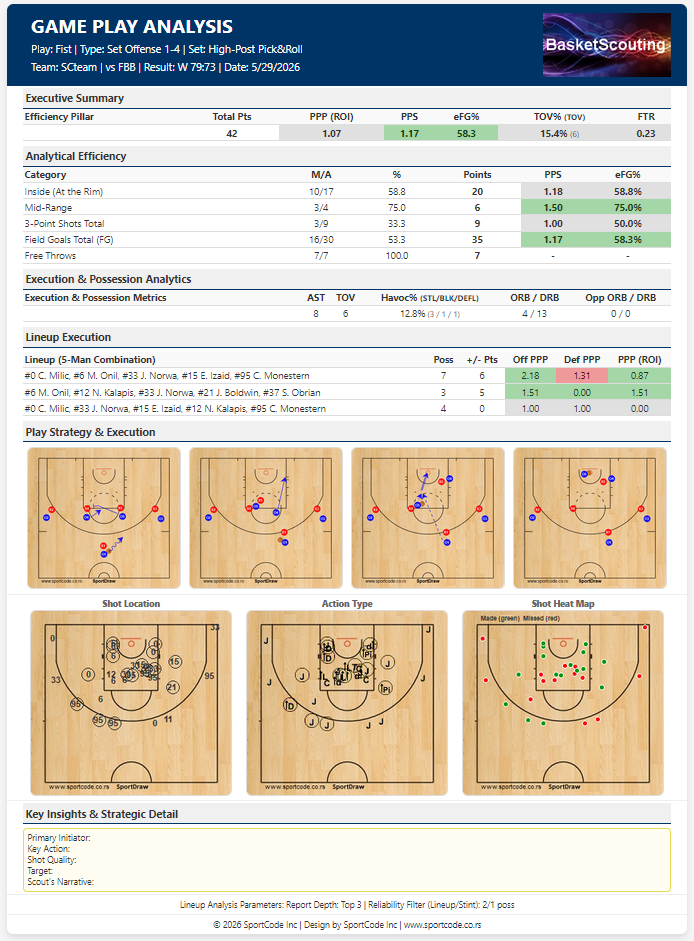
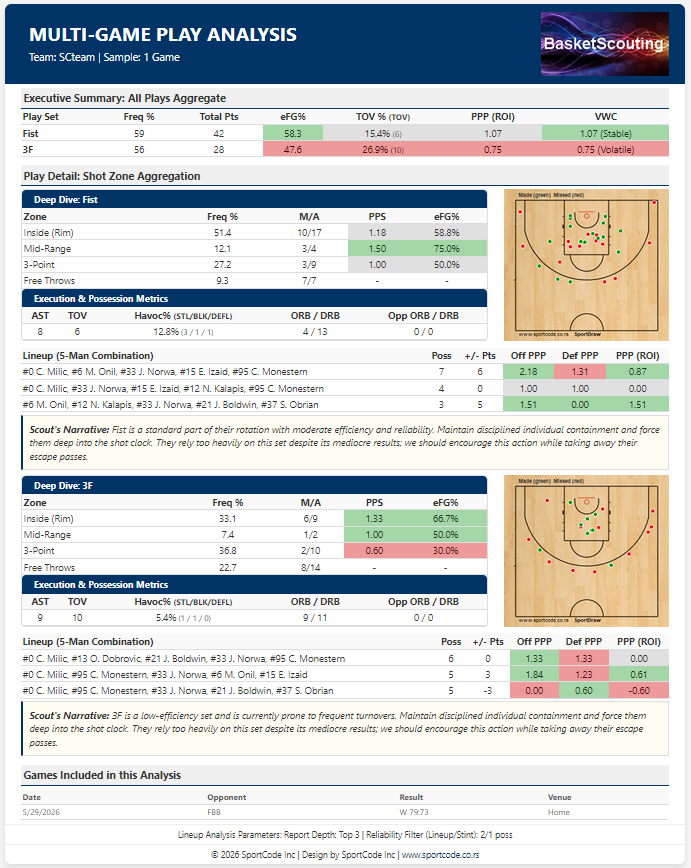
Generate high-contrast A4 PDF analysis sheets showing precise player chemistry combinations and play execution maps backed by dynamic data filters.
BasketScouting generates highly targeted, printer-friendly A4 tactical analysis. Click any preview below to explore the section layout.
The BasketScouting Platform designed by SportCode Inc. incorporates advanced AI architecture and AI analytics.
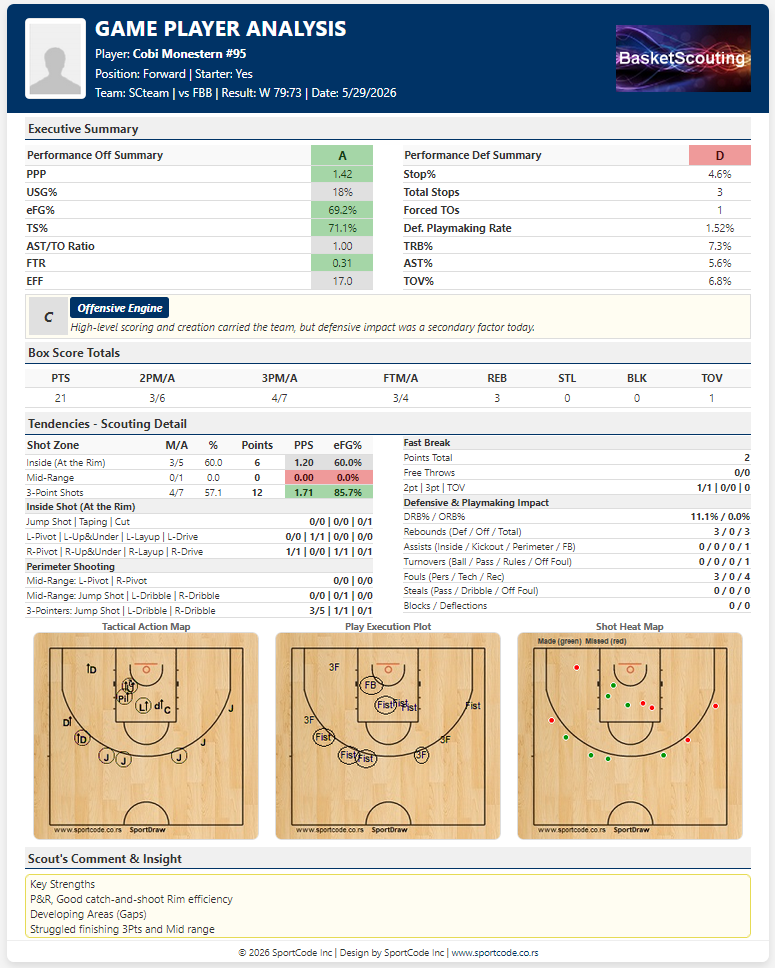
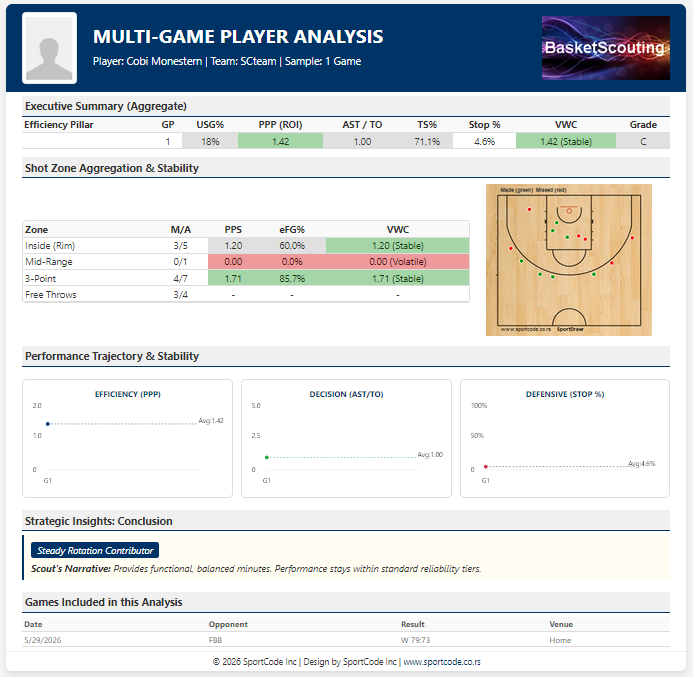
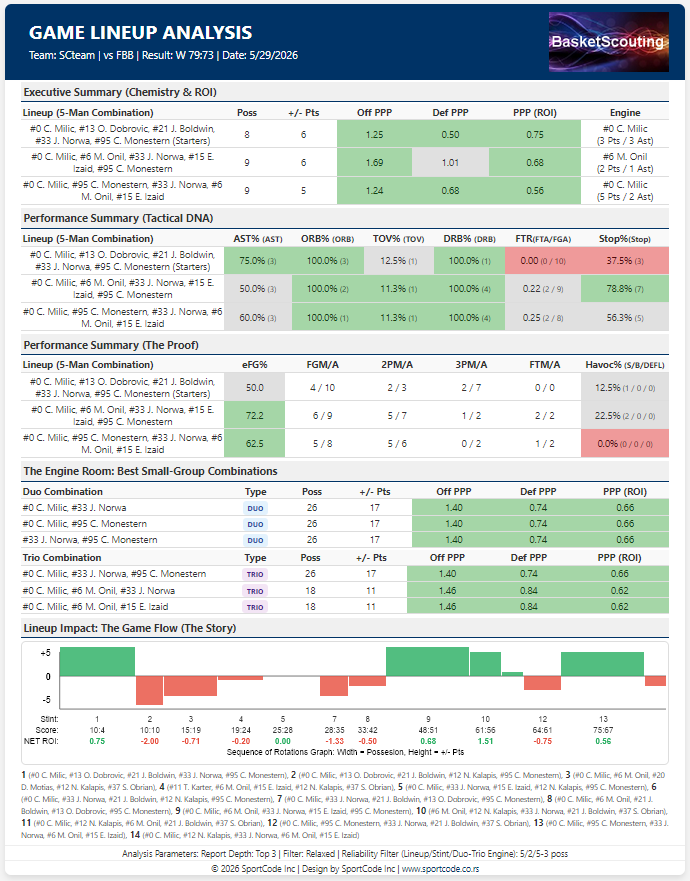
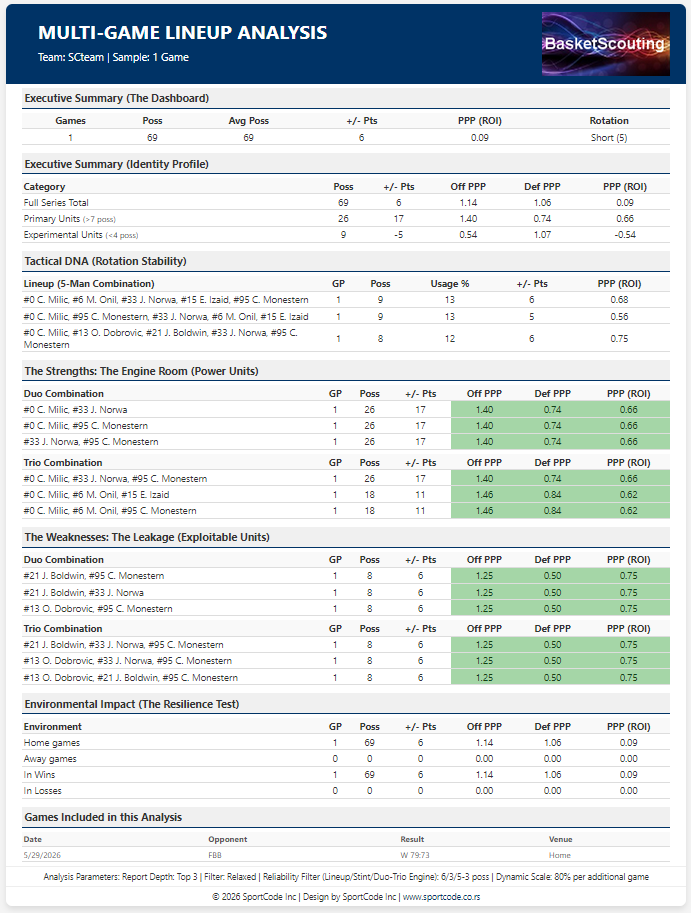
BasketScouting v9 is engineered for the intensity of elite live play. Capture every tactical moment and generate pro-grade analytics without missing a second of the action.
Yes. BasketScouting is a high-speed, tag-based platform designed for elite live game logging. You can select the player, play type, and exact court position to instantly record made or missed shots while the software automatically calculates efficiency percentages by zone.
Absolutely. BasketScouting v9 is built for high-stakes, courtside reliability. You can tag every event offline without an internet connection. All game data is stored in a robust local database, ready for share or PDF export once you are back online.
By tagging specific plays and their outcomes (shots, turnovers, free throw trips), BasketScout uses professional-grade formulas—including the 0.44 Free Throw multiplier—to calculate Offensive PPP and Team Defensive Rating (DRtg) instantly.
Yes. BasketScout tracks specialized defensive metrics including Stock% (combined Steals and Blocks) and Stop Percentage, allowing coaches to identify disruptive defenders who end opponent possessions effectively.
Yes. You can instantly generate brandable, high-contrast PDF scouting reports or share entire project folders via Google Drive or other cloud services. It is engineered for seamless collaboration between head coaches, assistants, and players.